-
Shop
- Adidas
- Advanced Technologies
- Apple Accessories
- Armani
- Arts, Crafts & Hobbies
- Astrology & Tarot Products
- Bathroom
- Best-Sellers
- Black Friday Sale
- Calvin Klein
- Car Accessories
- Christmas Collection
- Dating & Social Skills
- Denim
- 7FOR
- AGOLDE
- Antony Morato
- Armani Exchange
- Boss
- Brunello Cucinelli
- Calvin Klein Jeans
- Costume National
- Desigual
- Diesel
- Dolce & Gabbana
- Dsquared²
- Ermanno Scervino
- Fendi
- Gianni Lupo
- Guess Jeans
- Ichi
- Just Cavalli
- Lee
- Levi's
- Liu Jo
- Morgan De Toi
- Mother Denim
- Only
- Pepe Jeans
- Pinko
- Replay
- Tommy Hilfiger Jeans
- Valentino
- Vero Moda
- Digital Resources
- Easter Products
- Education & Learning
- Fall 2025 Fashion Best-Sellers
- Family & Parenting
- Fashion
- Accessories
- Alexander McQueen
- Bags
- Bags & Wallets
- Balenciaga
- Belts
- Blazers
- Blouses & Shirts
- Bottega Veneta
- Bottoms
- Brunello Cucinelli
- Burberry
- Chanel
- Chloé
- Dior
- Dolce & Gabbana
- Dresses
- Etro
- Fendi
- Gucci
- Hats & Hair Accessories
- Hoodies & Sweatshirts
- Jacquemus
- Jewelry
- Jil Sander
- Jimmy Choo
- Kiton
- Laptop Sleeves
- Luggage
- Luggage Bags
- Men's Fashion
- Miu Miu
- Off-White
- Outerwear
- Passport Covers
- Phone Cases
- Prada
- Rick Owens
- Saint Laurent
- Scarves
- Shoes
- Skirts
- Socks
- Socks & Tights
- Sunglasses
- Sweaters & Cardigans
- The Row
- Tom Ford
- Tops & Shirts
- Trousers
- Tumblers
- Valentino
- Valentino Garavani
- Versace
- Vivienne Westwood
- Watches
- Fashion Accessories
- Father's Day
- Fitness & Yoga Guides
- Furniture
- Gadgets
- Gift Guide Collection
- Health & Beauty
- Health & Wellness
- Home & Garden
- Home Electronics
- Home Supplies
- Independence Day
- Kids & Babies
- Kitchen
- Kitchen Best-Sellers
- Lighting
- Luxury Brands Collection
- Mother’s Day
- Nike
- Patio, Lawn & Garden
- Personal Growth
- Pet Care
- Pets
- Pinterest Best-Sellers
- Samsung Accessories
- Sport & Outdoors
- Summer 2025 Fashion Collection
- Super Deals
- TikTok Growth & Monetization Mastery
- Tommy Hilfiger
- Travel
- Travel & Outdoors
- Wealth
- Wealth Building
- Budgeting & Saving
- Cryptocurrency Investing
- Debt Management
- Entrepreneurship & Business Growth
- Family Finance & Budgeting
- Financial Independence
- Financial Mindset & Psychology
- Financial Planning
- Frugal Living & Expense Hacks
- Goal Setting
- High-Income Skills
- Investing Basics
- Leadership
- Motivation
- Networking & Mentorship
- Passive Income Strategies
- Real Estate Investing
- Side Hustles
- Stock Market Investing
- YouTube Shorts Best-Sellers
- Popular
- Best deals
Handheld Dynamic Microphone for Karaoke, Studio & Stage
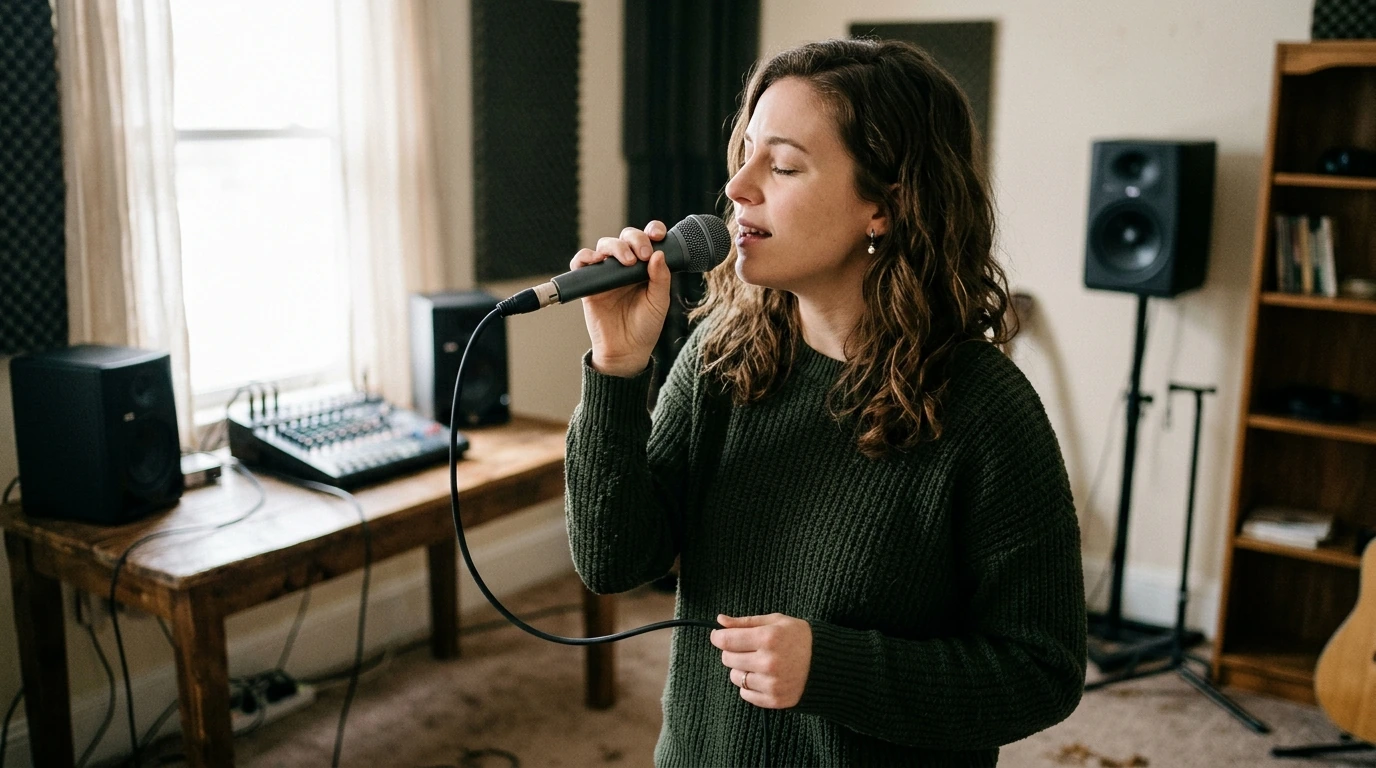
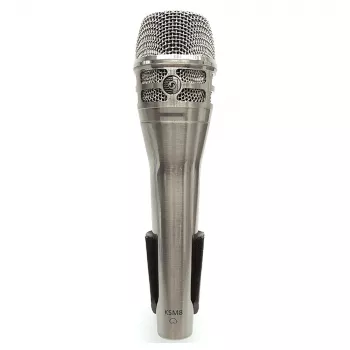
Whether you’re planning a karaoke night, practicing vocals at home, or preparing for a live set, a handheld microphone gives you a familiar way to perform. Our Professional Handheld Dynamic Microphone for Karaoke, Studio & Live Stage Performance is listed at $48.67 and is presented for all three settings.
The best setup depends on more than where you sing. Your sound system, available inputs, and preferred way of performing all matter. Our team has put together practical considerations to help you decide whether this microphone fits your next session.
One microphone, three performance settings
A handheld format lets you move the microphone into a comfortable position as you sing or speak. You can adjust your grip, change its angle, and bring it closer or farther away as needed. That flexibility is useful when you’re sharing a microphone at karaoke or finding your preferred position during practice.
Using one microphone across different settings can also make preparation simpler. You can become familiar with how you like to hold it at home, then bring that experience to a rehearsal or performance. Each sound system will still need its own setup and sound check, so allow time to get comfortable before you begin.
Explore our professional handheld dynamic microphone to see whether it suits your plans.
Choosing a setup for your performance
Before buying, consider where the microphone will connect and how you plan to use it. A karaoke system, recording interface, and venue mixer may have different inputs or cable requirements. Confirm compatibility with your equipment rather than assuming one connection will work everywhere.
Setup priorities by setting
| Setting | Main priority | Setup check |
|---|---|---|
| Karaoke | Comfortable handling and easy access | Confirm compatibility with the karaoke system |
| Studio | Consistent microphone position | Check the audio interface or mixer connection |
| Live stage | Comfortable movement and reliable setup | Confirm the venue’s input and cable requirements |
Karaoke
For a casual group session, think about where singers will stand and how easily they can pass the microphone between songs. Make sure the connection reaches your karaoke system without a cable crossing a busy walkway. Leave enough room for a comfortable grip and a little movement.
Studio practice and recording
When recording, a repeatable position can make it easier to compare takes. Decide whether you prefer holding the microphone or using a suitable stand, and check that your audio interface or mixer accepts its connection. If you plan to use a stand, verify that you have an appropriate holder rather than assuming one is included.
Live performance
For a stage setup, ask the venue or sound team about the available microphone inputs and cable arrangements ahead of time. Consider how far you need to move and where monitors will be placed. A quick conversation before the performance can help you avoid discovering a connection issue when it’s time to start.
Getting comfortable with a handheld microphone
Start your sound check by holding the microphone at a comfortable distance and singing a few lines at your usual performance level. Try small changes in distance and angle, listening through the system as you go. Find a position that feels natural and gives you a vocal balance you can work with, then try to return to it during the session.
Keep speaker volume at a reasonable level, especially in a small room, and avoid pointing the microphone directly toward speakers. If feedback occurs, lower the volume and adjust the microphone or speaker positions before bringing the level back up. You can also review the CDC’s guidance on noise and hearing loss when planning listening levels and breaks.
For recording, choose a quiet room and make a short test take before committing to a full session. Listen back for distracting room noise and check whether your position feels sustainable. A little preparation gives you time to adjust before you start a longer performance.
Before you bring it to your next session
Review the microphone connection alongside the input on your existing mixer, interface, or karaoke system. Check what cable or adapter your setup requires, and verify which accessories are included before ordering. If you’re performing away from home, confirm the venue’s requirements and leave time for a sound check.
Our microphone is currently listed at $48.67 and in stock; price and availability are subject to change. View the product and decide whether it fits the equipment and performance settings you have in mind.
Planning a relaxed gathering around your karaoke session? You can also explore our Compact Stainless Steel Rice Cooker & Warmer with One-Touch Operation – 3-Cup (Uncooked) for a separate kitchen addition.
FAQ
Can this microphone be used for karaoke and studio sessions?
The microphone is presented for both karaoke and studio use. Check that its connection works with your karaoke system or recording equipment before buying.
What should I check before connecting it to a sound system?
Check the microphone connection, the system’s input, and any cable or adapter your setup requires. Verify which accessories are included rather than assuming they come with the microphone.
How can I reduce feedback during a live performance?
Keep the microphone pointed away from speakers, start at a moderate volume, and adjust the setup during sound check. If feedback occurs, lower the volume and change the microphone or speaker position.
Recommended for you

Evil Eyes Rhinestone Hair Claw Clip Styling Ideas
Nov 26, 2026



Leave a comment